AI menu photography for pasta restaurants
Your real plate of pasta, relit into a glossy, appetising menu photo in about 30 seconds.
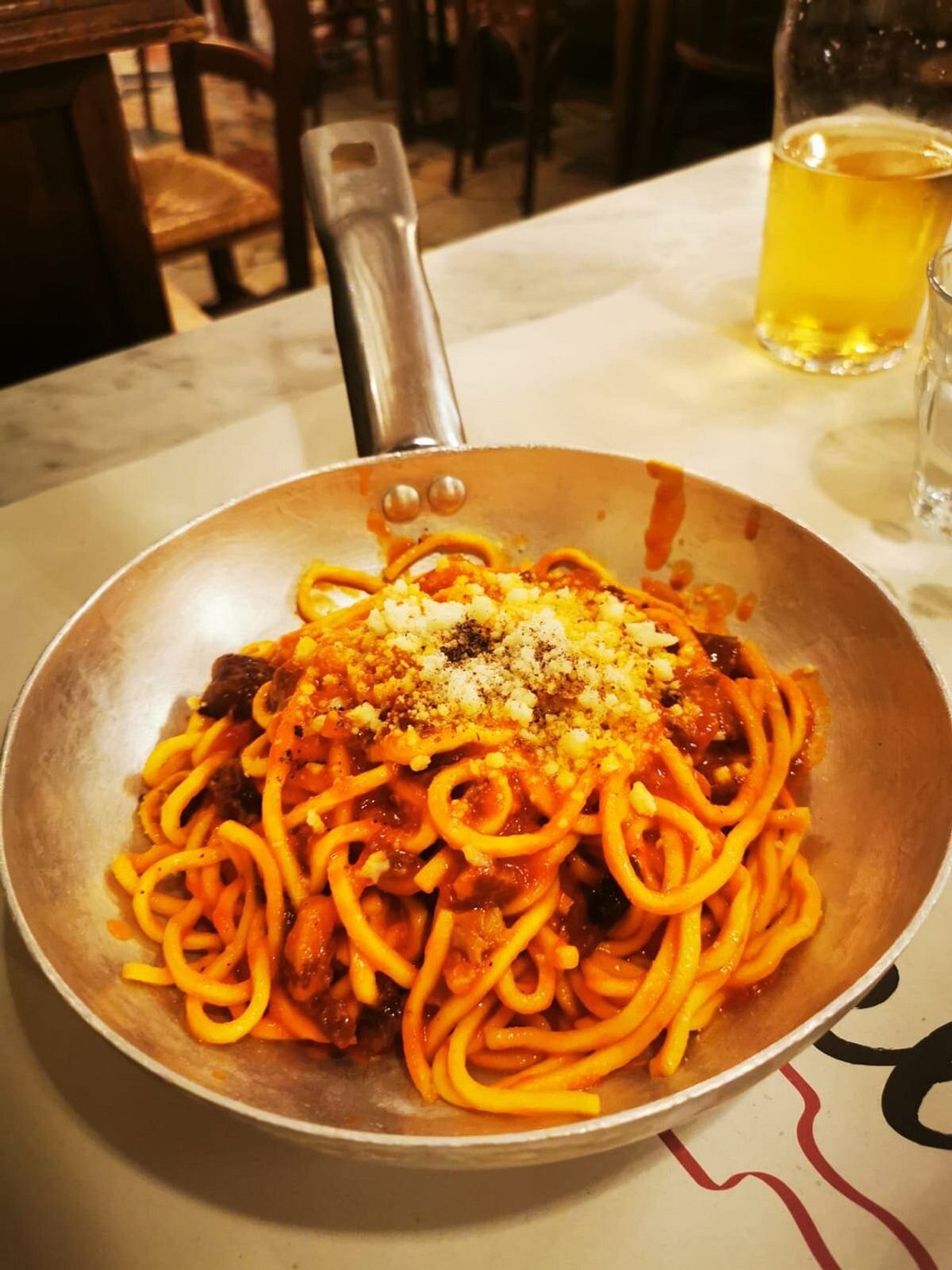
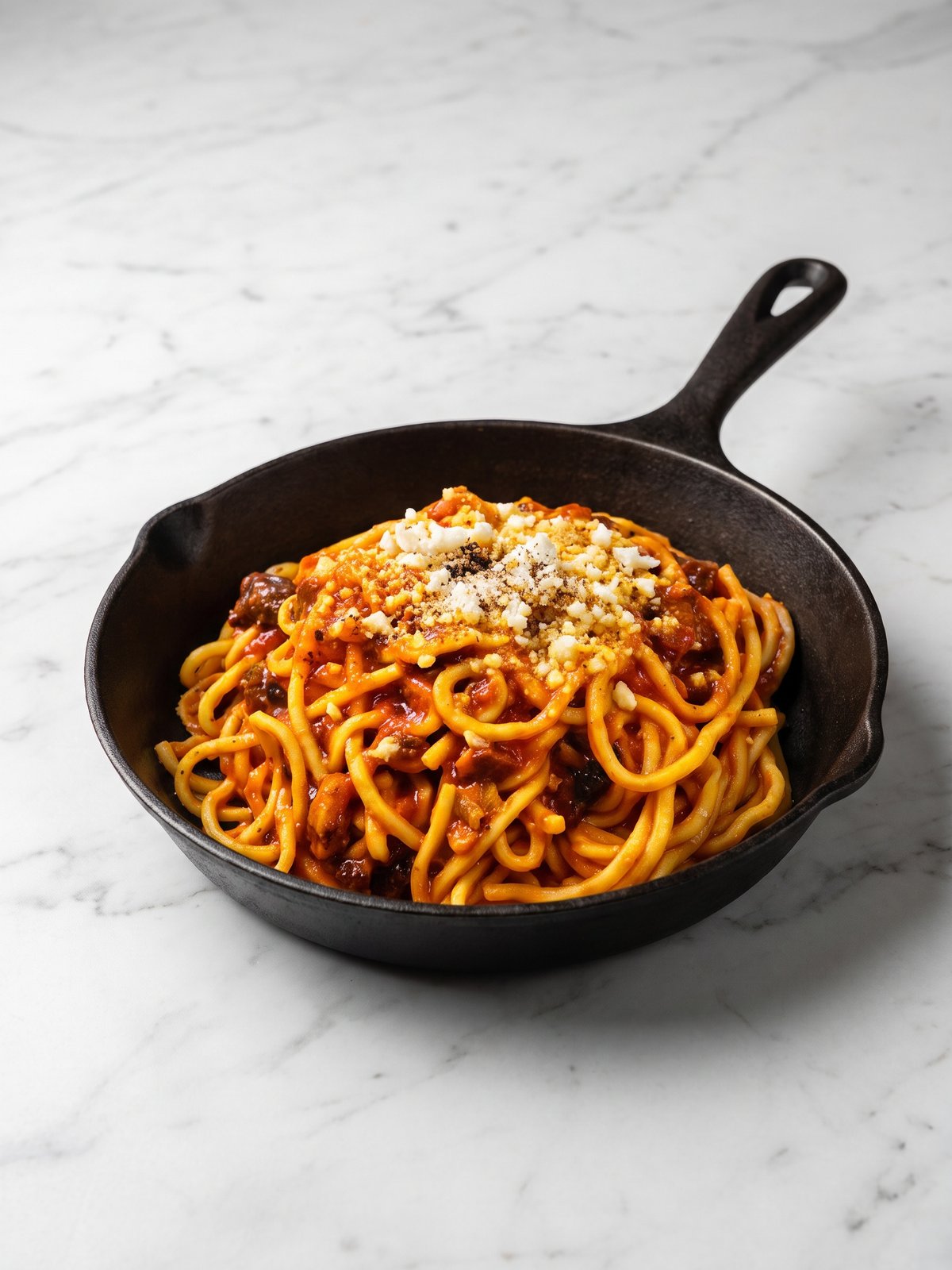
Pasta photographs badly more often than almost anything else. A bowl of spaghetti reads as a flat tangle of beige under kitchen light, the sauce loses its sheen the moment it cools, and the steam that sold the dish at the pass never shows up on camera. Cream sauces go grey, tomato goes flat, and the twirl you plated so carefully collapses into a shapeless heap on a phone screen. PlateRefresh takes the bowl you actually cooked and relights it, bringing back the gloss on the sauce, the warmth in the tomato, and the depth that makes a customer hungry, without adding a single garnish or noodle that was not already there.
Bring back the gloss and depth in the bowl
Sauce sheen is what makes pasta look fresh, and it is the first thing a phone kills. The relight restores the glisten on a carbonara, the rich red of a ragu, the cling of cream on tagliatelle. It adds dimension and shadow so the dish has shape instead of reading as a flat plate, while keeping every strand exactly as you served it.
Consistent photos across a long pasta menu
Most pasta menus run fifteen dishes or more, and inconsistency makes a menu look amateur. Shoot each plate the same way on your phone and PlateRefresh returns a matched set, same warmth, same surface, same framing. Your Deliveroo and Bolt Food listings end up looking like one coherent restaurant rather than a folder of random snaps.
True to the plate, safe on delivery apps
Because the tool only relights your real dish, the menu photo matches the portion and presentation a customer actually receives. No staged garnish, no extra prawns, no inflated portion. That keeps you within delivery-platform imagery rules and means fewer disappointed reviews when the box is opened at the table.
Phone in, menu shot out.
Snap it
Take a phone photo of the real dish — straight off the pass.
Relight & refine
We relight and lightly enhance the food you actually cooked — sharper texture, fresher look. Nothing added, nothing faked.
Ship it
Download in ~30 seconds and upload it to your menu.
Good to know.
Will my cream sauce stop looking grey?
Yes. Cream and cheese sauces lose colour and sheen on a phone. The relight warms the tone and restores the natural gloss of the sauce you cooked, so a carbonara or alfredo looks fresh and rich rather than flat and grey.
Does it add garnish or extra ingredients to the pasta?
Never. PlateRefresh only relights the dish in your photo. It will not add basil, parmesan, prawns or anything else. Your menu image stays a true picture of the plate the customer receives, which keeps it compliant with delivery apps.
Are the photos ready for Deliveroo and Wolt?
Yes. Each image is a clean, well-lit menu shot suited to Deliveroo, Wolt, Bolt Food and your own site. Menu photography pays off: Uber Eats has reported up to 88 percent higher monthly sales when every item carries a photo.
How long does each photo take?
About 30 seconds per dish. Snap the bowl on your phone, upload it, and the relit menu photo comes back in around half a minute, so a full pasta menu can be finished in a single afternoon.
Your next menu photo is one shot away.
No subscription to start. Test Mode is a one-time $9.99 — relight your real dishes and see them on your menu today.
Start for $9.99