Carbonara photography that keeps the sauce glossy
Turn a phone snap of your real carbonara into a menu-ready shot without faking a single strand.
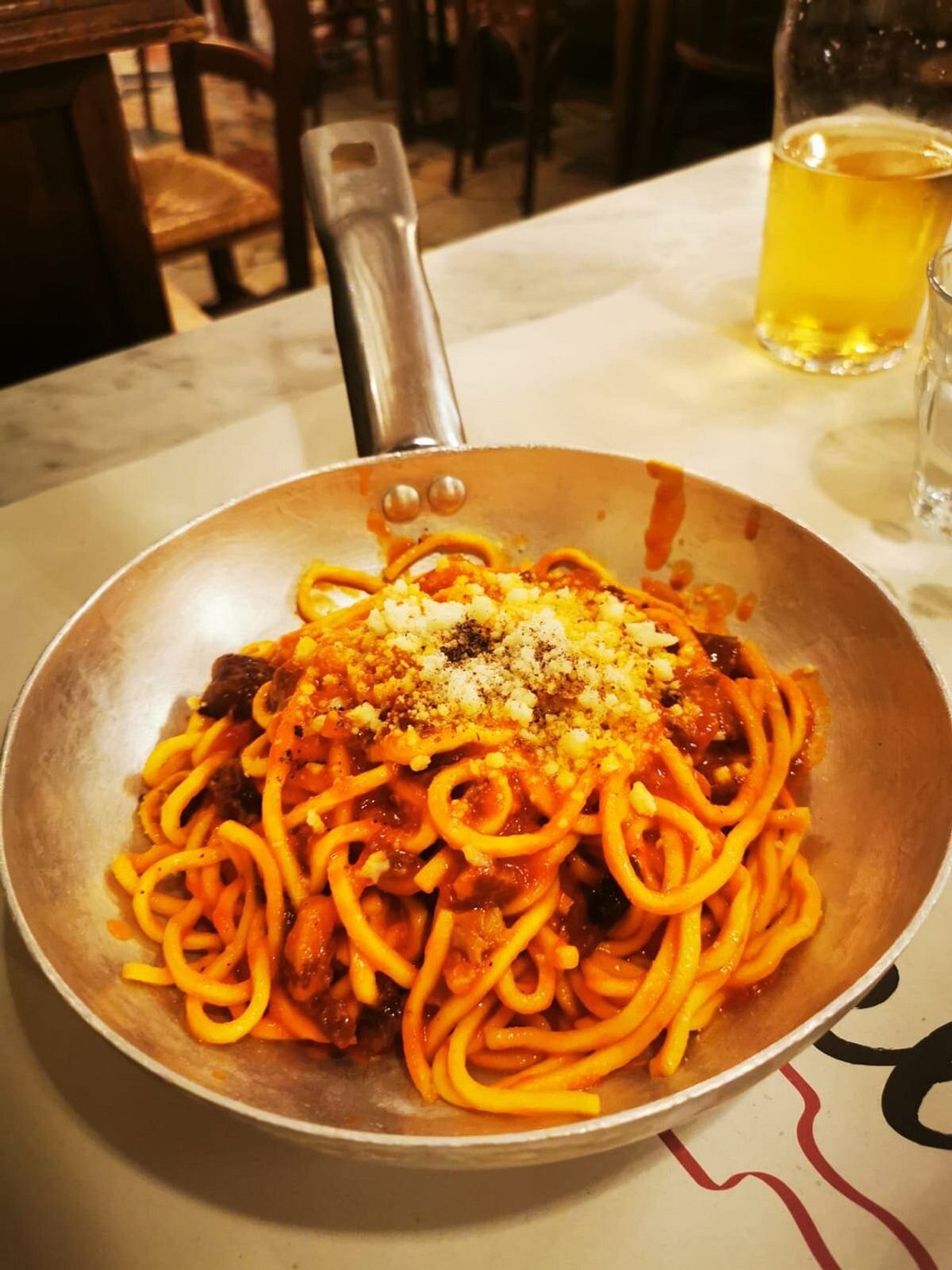
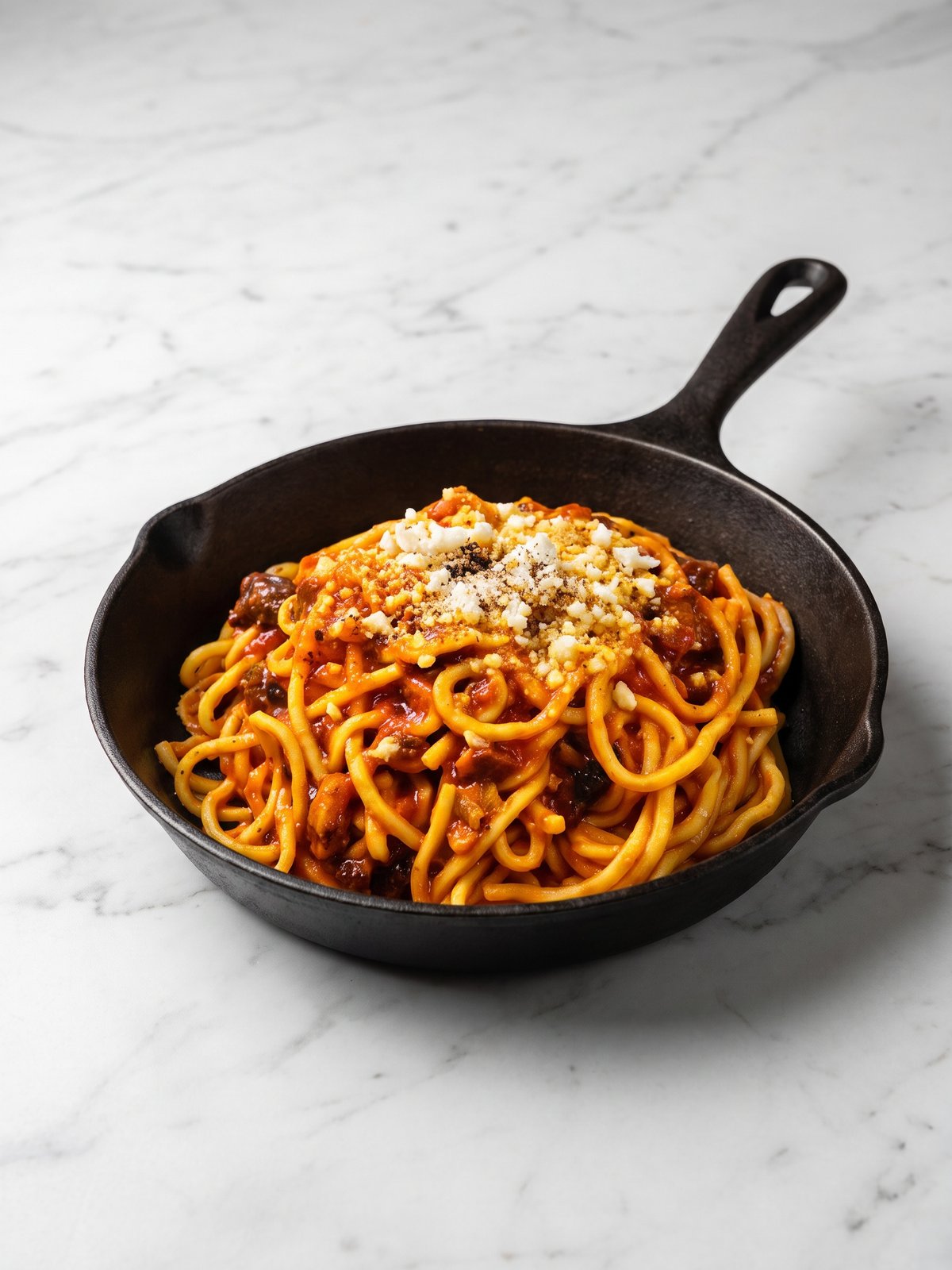
Carbonara is one of the hardest pasta dishes to photograph because its whole appeal lives in a fragile film of sauce. Egg and pecorino emulsify into a silky coat, but under a phone flash that coat reads dry, clumpy or oily within seconds. The pepper specks vanish into shadow, the guanciale loses its render, and the twirl flattens into a beige pile. Shooting it well usually means a stylist plating fast under controlled light. PlateRefresh skips that. You upload the bowl you actually served, and the model relights the same pasta so the sauce reads creamy and reflective, the pepper stays sharp, and the angle still matches what lands on the table.
Why the sauce is the whole shot
A carbonara photo lives or dies on surface sheen. Diners read glossy as fresh and matte as cold leftovers. The trouble is that real sauce sets and dulls in the minute it takes to grab your phone. PlateRefresh relights the existing coat so it catches soft light again, recovering the silky look without adding cream, butter or anything that was never on the plate.
Keep the pepper and guanciale honest
Black pepper and crisped guanciale give carbonara its character, but they are the first details a hard flash crushes into flat black. Our relight lifts shadow detail so the pepper specks and the rendered fat on each pork piece stay visible and crisp. Nothing is painted in. What the camera caught is what gets refined, so the photo matches the bowl the delivery rider carries out.
Built for Wolt, Glovo and Uber Eats menus
Delivery apps reward photos that look true to the dish, and they penalise images that oversell. Because PlateRefresh only relights your actual carbonara, the result clears Wolt, Glovo and Uber Eats honesty rules while still looking studio-grade. Deliveroo has reported menus with photos see around 25% more orders, so a clean carbonara shot earns its place on every listing.
Phone in, menu shot out.
Snap it
Take a phone photo of the real dish — straight off the pass.
Relight & refine
We relight and lightly enhance the food you actually cooked — sharper texture, fresher look. Nothing added, nothing faked.
Ship it
Download in ~30 seconds and upload it to your menu.
Good to know.
Will PlateRefresh make my carbonara look creamier than it is?
No. It relights the sauce already in your photo so the emulsion catches light and reads glossy. It does not add cream or sauce. The bowl in the picture is the bowl you served, just lit the way a studio would light it.
My pepper disappeared under the phone flash. Can that be fixed?
Yes. The relight recovers shadow detail, so black pepper specks and crisped guanciale that the flash flattened become visible again. It reveals what your camera captured rather than inventing new garnish on the plate.
How long does one carbonara photo take?
About 30 seconds from upload to finished image. You shoot the bowl on your phone, send it through, and get a relit menu-ready photo back. No stylist, no studio booking, no reshoot of a dish that has already gone cold.
How much does it cost to try?
Test Mode is a one-time $9.99 that includes seven credits, no watermark, and a commercial license. That is enough to shoot several dishes and see whether the relit carbonara fits your menu before committing to a plan.
Your next menu photo is one shot away.
No subscription to start. Test Mode is a one-time $9.99 — relight your real dishes and see them on your menu today.
Start for $9.99